Winlog Evo 4.0 now supports the SVG vector
graphics standard (Scalable Vector Graphics) and integrates the new
Symbol Factory 3.0 graphics library. More info

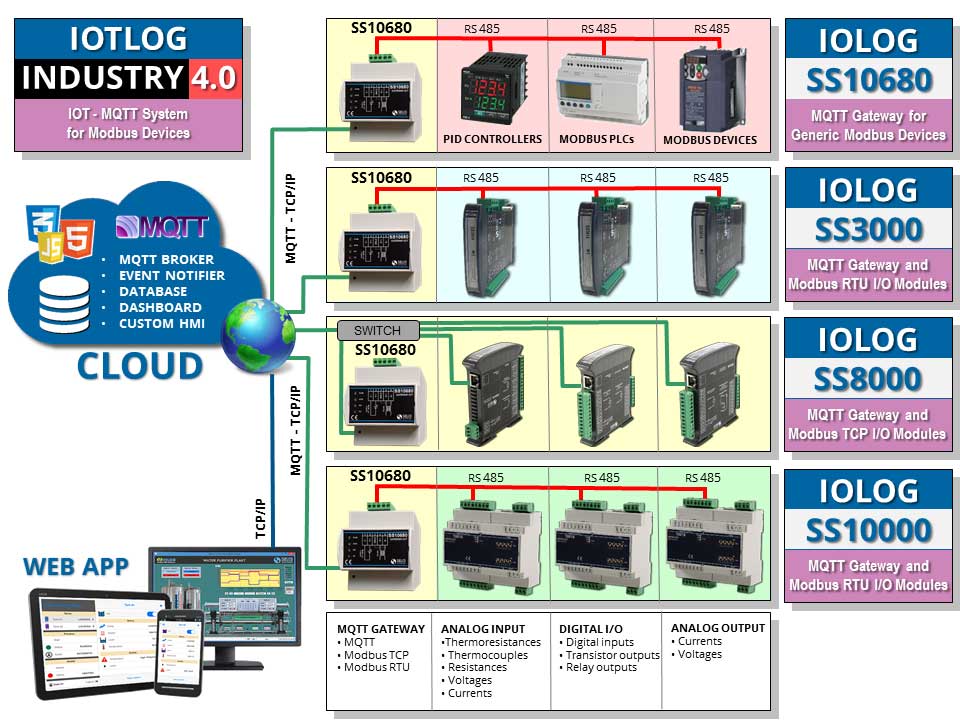
The IoT and IIoT (Internet of Things and Industrial Internet of Things) acronyms indicate all those technologies that make it possible to transform any object, be it a sensor, an actuator, a vehicle or an appliance, into a device connected to the Internet, which is in able to send data to the cloud using light and fast protocols such as MQTT (Message Queue Telemetry Transport). |
The increasing trend to use cloud applications has pushed SCADA technologies to evolve towards integration with the Internet of Things. In fact, SCADA systems can increase the potential of the Industrial Internet of Things. By integrating the two technologies, you can get a much faster, more detailed and even more safe collection and verification of company data. |
These systems, due to their architecture, are especially suited to manage:
|
These systems include the key enabling technologies (Key Enabling Technologies - KET's) of Industry 4.0 (SCADA, IoT, cloud, big data, cybersecurity). |
SCADA applications are used today in most industrial fields and are an indispensable aid for all companies, regardless of size and sector of activity. SCADA software is the most suitable development environment for the easy and intuitive creation of complex SCADA applications. |
SCADA applications provide several benefits, but having to highlight one in particular, we can say that they replace the man in carrying out many routine and tedious tasks, which increases productivity, provides a faster management of alarms and reduces the risk of potentially dangerous situations for the environment. More generally, we can say that SCADA applications:
|
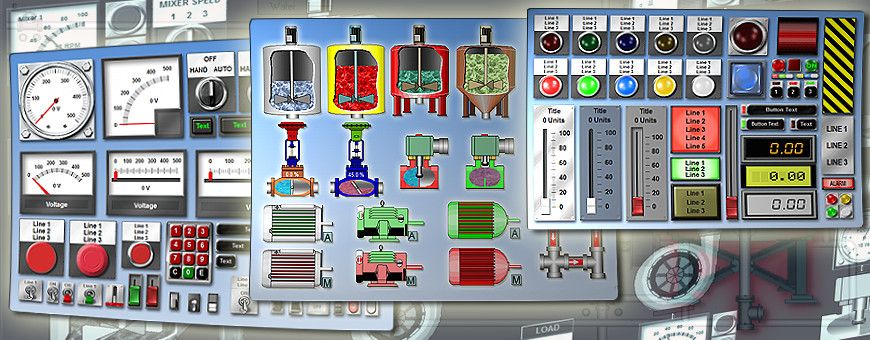
SCADA software is an integrated development environement which allows creation of SCADA HMI applications. Several SCADA software from various manufacturers are available, with significant differences in price and performance. The choice of the SCADA software most suitable for the application to be developed depends on several factors, as well as personal preferences, but is generally based on the complexity of the project, the required performances, any constraints imposed by the client and the available budget. |
You should also consider the learning time, which is usually higher in case of a more complex SCADA software. As a general rule, the choice of a complex SCADA software is justified when the project involves a large and high-cost plant, for which software cost and learning time are no longer relevant. in the case of small-to-medium projects with a limited budget, it is advisable to move towards SCADA software that have a lower cost and require a shorter learning time. |
All SCADA software, regardless of complexity, must however have common features regarding the following topics:
|
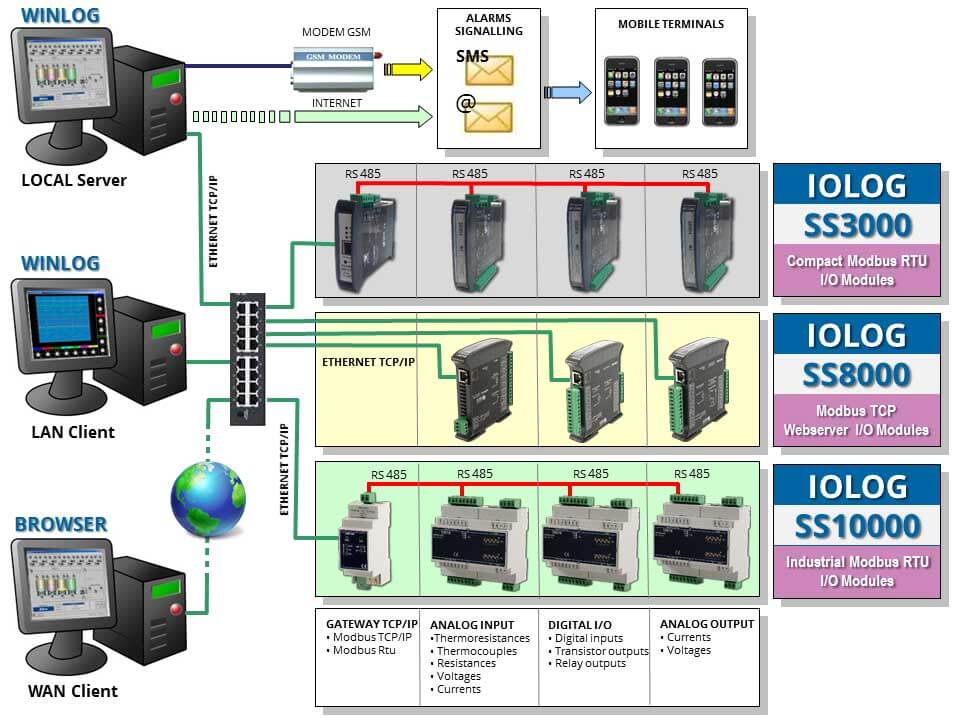
Data acquisition not only means transfer of information from peripheral devices to supervisory computers, but also transfer of information in the opposite direction, in order to allow the supervisory system to control the process, that is to direct its evolution by modifying the values of the variables that condition its operation. |
We can say that data acquisition is the main function among those performed by SCADA systems. In fact, by putting the process in communication with the supervision, data acquisition makes it possible for the supervisory system to get all the information on the process status that are necessary to allow the observation of the process itself. |
The task of data acquisition is to ensure the error-free transfer of information between process and supervision, in a context characterized by a variety of transmission media and different communication protocols. |
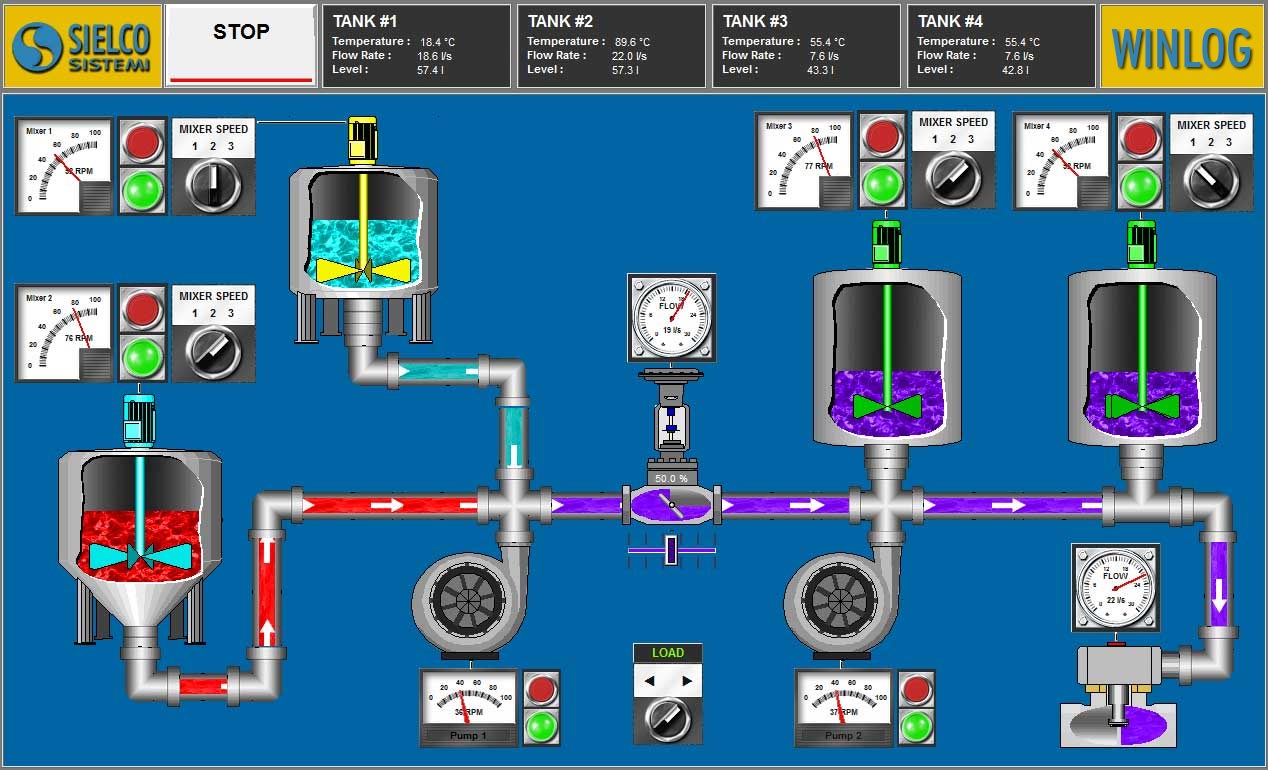
The control function of a SCADA system consists in the ability of the control system to interact with the controlled process, in order to modify its evolution according to pre-established rules or decisions taken by the operator. |
It is important to underline that, with “control of a SCADA system, we do not mean “real time process control”, usually the prerogative of the PLC, but rather the ability to modify the evolution of the process, for example by sending a different work recipe. |
To better clarify the concept, we can say that, with reference to a particular process temperature, the task of a real time control is to keep this temperature unchanged (by acting on the appropriate actuators), while the task of the SCADA control is to fix the temperature at which the process should work (by sending the appropriate set point). |

